You can make an ai anime short drama without drawing every frame yourself, but you cannot skip story control. The safest first project is one short episode with one lead, one urgent problem, a few controlled shots, and a clear reason to watch the next part.
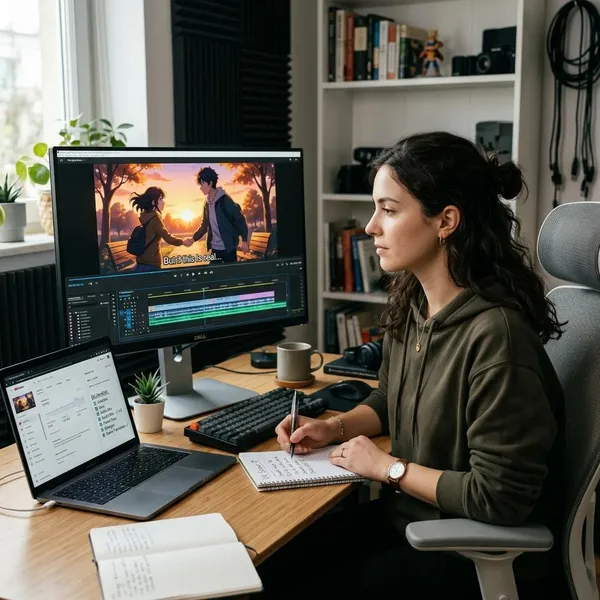
How Do You Plan an AI Anime Short Drama?
Start smaller than your idea probably wants to be. A first episode should not explain an entire world, introduce five relationships, and resolve a major plotline. It should make one dramatic moment easy to understand on a phone screen.
A simple planning check is enough before you open any generator:
- Lead: Who is the viewer following?
- Goal: What does that character need right now?
- Pressure: What makes the moment urgent?
- Turn: What changes by the final shot?
- Next step: Why would someone want episode two?
For a first attempt, a 60-to-90-second episode is usually easier to finish than a longer pilot. If you are only testing a style, even 30 seconds can teach you a lot; if you are starting a real series, make sure the episode has enough story movement to feel complete rather than like a trailer.
Open with a clear hook
The first shot should show trouble, not background information. A heroine holding a torn letter, a prince waking with a curse mark, or a phone message that says "Do not meet him tonight" gives the viewer a reason to stay.
Give the lead one urgent goal
Pick one goal the viewer can recognize quickly: stop someone from leaving, hide evidence, reach a meeting place, protect a secret, or confess before it is too late. "Find her destiny" is too broad for a short episode; "reach the train before her rival does" is easier to film and edit.
Build conflict toward an ending or cliffhanger
Conflict does not have to mean a fight. A character can be blocked by a lie, a deadline, a forbidden message, a family rule, or a memory they do not fully trust. The important part is resistance: the lead wants something, and the episode keeps making that harder.
A practical short-drama shape is:
- Hook the viewer with the problem.
- Show what the lead wants.
- Add one obstacle or reveal.
- Let the emotion peak.
- End on a decision, shock, or unanswered question.
Turn each scene into a shot list
Do not prompt "make a dramatic anime scene" and hope the tool understands the pacing. Break the episode into short shots with one job each: close-up of the letter, reaction from the lead, rival entering frame, hand dropping the ring.
How Do You Keep AI Anime Characters Consistent?
Character consistency is usually won before video generation starts. If the face, hairstyle, outfit, or key prop changes every few seconds, the viewer stops following the drama and starts noticing the tool.
Keep the cast small at first. One lead, one opposing character, and one supporting character are much easier to control than a large ensemble. For a one-off experiment, small design drift may be tolerable; for a continuing series, stable references are not optional.
Create character reference sheets
Create one reference sheet per recurring character with a front view, side view, full-body look, face close-up, and a few expressions. The sheet does not need to be perfect art; it needs to make the character recognizable from shot to shot.
- Face anchors: eye shape, hairline, bangs, jaw shape.
- Color anchors: hair, eyes, jacket, uniform, accessories.
- Emotion anchors: neutral, angry, sad, shocked, soft smile.
Fix outfits, hairstyles, and key props
Choose the details that must not change: a red ribbon, silver necklace, school badge, cracked phone, sword shape, or coat color. These anchors help viewers identify the character even when a shot is fast or the face is partly hidden.
Be intentional with changes. A new outfit can work if it marks a new day, a disguise, or a dramatic shift. It feels sloppy when the character changes clothes between two shots in the same conversation.
Reuse approved designs across shots
Once a design works, stop reinventing it. Save approved stills and use them as references for later shots, thumbnails, and episode covers. Consistency is more valuable than constant novelty when you are trying to make a short drama feel like one connected story.
Check new shots against earlier scenes
Review each new shot beside the nearest approved shot. Check the obvious details first: hair length, eye color, outfit, prop shape, and background. Then check the performance: if the character was terrified in the previous clip, the next clip should not look calm unless the story explains the shift.
This is where many beginners save time. Replacing one wrong three-second clip is much easier than repairing a full edit after every scene has been built around it.
How Do You Generate AI Anime Drama Scenes?
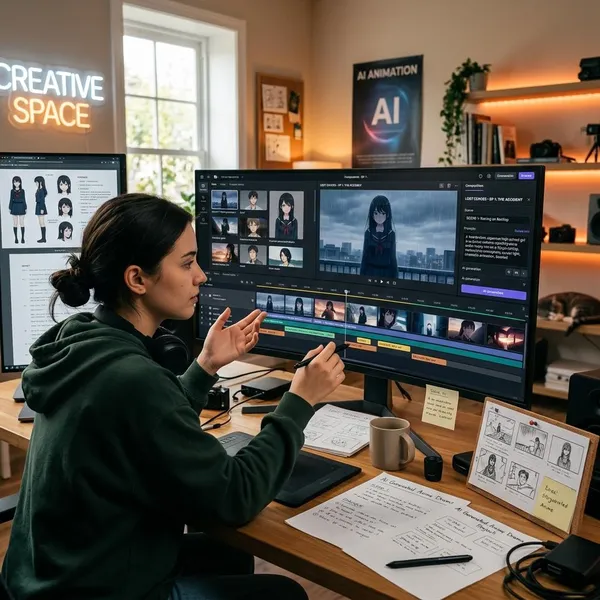
Generate scenes as short clips, not as one long episode. Short clips give you better control over motion, expressions, camera framing, and continuity. They also make mistakes less expensive because you can replace one failed shot instead of starting over.
Start with the shots that matter most to the story: the hook, the reveal, the emotional reaction, and the final cliffhanger. If those work, the simpler connecting shots become easier to build around them.
Start with approved still frames
Use still images as checkpoints before adding motion. A still should already show the right character, mood, setting, and composition. If the still does not communicate the story beat, animation will usually make the problem more obvious rather than fixing it.
For emotional scenes, test the expression in the still first. A believable shocked face or hurt glance can carry more drama than a complicated camera move.
Describe one clear action per shot
Give each clip one readable action: she turns toward the voice, he hides the letter, the pendant cracks, the door opens. If a shot needs three actions, split it into three shots and let the edit connect them.
This matters most in low-budget or free-tool workflows, where long generations may drift or distort. Short, simple actions often look more intentional than ambitious clips that almost work.
Add expressions and camera movement
Expression should be part of the prompt, not an afterthought. "Angry" is less useful than "tight jaw, narrowed eyes, holding back tears." For camera movement, use only what supports the beat: a slow push-in for a confession, a quick pan for a reveal, or a locked frame for a painful silence.
Generate short clips and review each take
Review clips in sequence before you commit. A take can look good alone but fail beside the previous shot because the gaze direction, lighting, or emotion no longer matches.
- Keep: readable action, stable character, clear emotion.
- Trim: slow starts, awkward endings, extra empty frames.
- Replace: broken hands, drifting faces, confusing motion, wrong props.
Do not chase perfect animation in every frame. Protect the moments viewers will actually notice: faces, hands, spoken lines, reveals, and the final beat.
How Do You Edit an AI Anime Short Drama?
Editing is where separate AI outputs start to feel like a story. The priority is not showing every clip you generated; it is making the viewer understand the hook, feel the turn, and reach the ending without confusion.
Watch the edit once with sound and once muted. If the story only works with the script explaining everything, you may need clearer reaction shots or visual bridges. If it works muted but feels weak with sound, the dialogue, music, or timing needs attention.
Arrange shots around the story beats
Place shots by emotional function: hook, goal, obstacle, reaction, reveal, ending. A beautiful clip that repeats information should be shortened or cut. A plain close-up that clarifies heartbreak may be more valuable than a flashy scene with no story job.
Match dialogue to character reactions
Dialogue lands better when the viewer sees its effect. After a confession, threat, lie, or secret, cut to the listener's face or body language. A blink, clenched hand, or delayed look away can make a short scene feel more human than another explanatory line.
If your episode feels too talkative, replace some lines with readable actions. This is especially useful for mobile viewers who may be watching quickly or without perfect audio.
Adjust lip sync where needed
Lip sync does not have to be flawless, but it should not distract from the scene. If a close-up mouth movement looks wrong, use a reaction cut, side angle, hand insert, or narration over a non-speaking shot.
For a serious dialogue-heavy episode, spend more time fixing sync. For a mood-driven episode with captions and music, you can often avoid the hardest sync problems by showing expressions, objects, and reactions instead of constant speaking close-ups.
Add music, sound effects, and captions
Music should support the mood without covering voices. Sound effects are best used on story actions: message alerts, footsteps, doors, sword draws, rain, paper tearing, or a sudden impact.
Captions need to be readable on a phone, not just visible in your editor. Use short lines, strong contrast, and timing that lets viewers read without missing the face on screen.
Trim pauses that slow the story
AI clips often include extra frames before the useful action starts. Cut those first. Then look for reactions that linger after the emotion has already been understood.
Keep pauses only when they create tension. A silent half-second before a confession can work; a two-second wait before someone opens a door may just make the episode feel slow.
What Should You Check Before Publishing?
Before posting, review the episode like a first-time viewer on a phone. The most important question is simple: can someone understand who wants what, what goes wrong, and why the ending matters?
Do one practical pass for story, one for continuity, and one for mobile playback. That is usually more useful than endlessly polishing tiny visual flaws that most viewers will never notice.
Character and setting continuity
Compare the first, middle, and final appearances of each main character. Hair, outfit, key props, and setting details should feel connected. If the lead's necklace is central to the plot, it cannot randomly disappear during the reveal.
Clear dialogue and balanced sound
Test the sound on phone speakers and headphones. Voices should stay clear above music, and effects should not spike sharply. If the viewer needs captions because the mix is muddy, fix the audio rather than relying on text alone.
Natural motion and clean transitions
Motion can be limited, but it should be readable. Watch for rubbery hands, sudden pose jumps, shifting backgrounds, or camera moves that make the action unclear.
When a transition feels broken, try a tighter cut before regenerating. Sometimes removing the awkward first or last half-second is enough.
A readable hook and ending
Check the first three seconds and the last three seconds separately. The opening should create a clear question; the ending should make the next episode feel worth finding.
If the hook is vague, move the conflict earlier. If the ending feels soft, end on the strongest reveal, expression, object, or line instead of letting the scene fade after the point has passed.
Missing shots or broken story links
If a character suddenly changes location, emotion, or decision, the episode may need one bridge shot. That can be as small as a phone screen, a hand reaching for a door, a close-up of tears, or a character seeing something off-screen.
Do not automatically add more dialogue to fix confusion. In short anime drama, one clear visual insert often solves the problem faster.
How Do You Prepare AI Anime Shorts for Mobile Viewing?
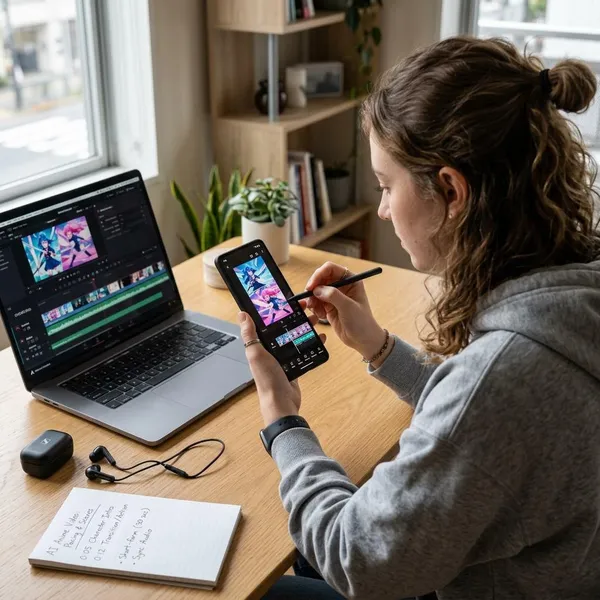
Mobile viewing changes the whole edit. Faces need to be large enough, captions need safe space, and key objects must be obvious without making the viewer pause or squint.
If you are making a private test, you can be looser with formatting. If you want a serialized public release, prepare the episode like part of a series: consistent framing, clear numbering, matching covers, and an easy path to the next part.
Frame key action for a vertical screen
Keep the important action near the center of a 9:16 frame. Wide cinematic shots can look nice, but they often hide the exact detail the viewer needs, such as a ring, letter, wound, or phone message.
Use close-ups and inserts when the plot depends on a small object. If the object matters, show it clearly instead of hoping viewers notice it in the background.
Keep captions clear of interface overlays
Do not place important captions at the very bottom or far right where platform buttons, usernames, or descriptions may cover them. Preview the video inside the platform if possible, not only in your editor.
Short caption chunks usually work better than full sentences across the screen. They are easier to read while the viewer is also watching expressions.
Number episodes in story order
Use clear labels such as "Episode 1," "Ep. 02," or "Part 3." Many viewers will discover the series out of order, so numbering helps them find the beginning without guessing.
Keep the label visible but not distracting. It should guide the viewer, not compete with the emotional moment.
Make the next episode easy to find
A strong cliffhanger loses power if the viewer cannot find the continuation. Use a playlist, pinned comment, profile organization, or consistent title format so the next part is obvious.
This matters most once you have several episodes. A single short can survive on its own, but a drama series needs low friction between parts.
Conclusion
The best first episode is not the most ambitious one; it is the one you can finish, understand on a phone, and improve from. Keep the story focused, protect character consistency, generate in short controlled shots, and publish only when the hook, sound, captions, and ending all help the viewer follow the drama without effort.